

- de-bri.com runs on a Hetzner VPS with a LAMP stack, GeneratePress child theme and a minimal plugin list. This was built with Claude handling the technical implementation.
- Claude Code manages ongoing site changes directly in the codebase, replacing hours of frustrated Googling with a back-and-forth that actually explains what’s being built.
- The whole setup costs under $28 a month including hosting, domain and a Claude Pro subscription.
Disclaimer: I’ve built WordPress sites before.
Back in the day I learned the hard way. Asking friends, Google searches and plenty of trial and error. I picked up a rudimentary knowledge of PHP along the way, enough to be dangerous but not enough to be efficient. Customising a site to do exactly what I wanted was (mostly) possible, but it was slow and frustrating. Hours lost to Stack Overflow threads, and once I left a random space in the functions.php file and the site immediately died (why so sensitive).
So I had a foundation. I understood how WordPress worked, I just wasn’t fast or 100% confident with the implementation side of things.
But this time was different, I had a helping hand.
Claude handled what used to slow me down
The technical setup including server configuration, SSL, DNS (basically all the unglamorous stuff that would normally make my eyes glaze over) – I worked through all that with Claude. Not by having it do everything blindly, but by having a back and forth: explaining what I needed, getting options and understanding the trade-offs. It’s such a fundamentally different experience to Googling your way through a problem. Obviously faster (getting direct answers versus scanning for the most relevant result), more contextual and it actually explains things versus reading through a Stack Overflow thread from 2014.
The bit that surprised me most was the design side. I used Claude to brainstorm a colour palette, work through typography choices, and eventually design the logo (it’s no masterpiece but it’s functional). Things that would have previously meant hiring someone or settling for something generic.
Claude Code changed how I manage the site
Once the foundations were in place, I set up Claude Code which lets Claude work directly in the codebase (I picked Visual Studio Code to connect that to). If I want a specific element, I describe it, it builds it and I fine tune from there. What used to take me an afternoon of frustrated Googling (or Bing-ing, I don’t judge) now takes minutes.
Basically I couldn’t have built this site to this standard, this quickly and all by my lonesome self. But I also wasn’t starting from zero. The knowledge I’d picked up over the years meant I could follow along and actually understand what was being built. Claude didn’t replace the learning, it just removed the friction.
What hosting stack does de-bri.com run on?
The stack is straightforward (that’s what Claude told me):
- Hetzner CAX11 VPS running Ubuntu
- Apache as the web server
- MySQL for the database
- PHP to run WordPress
- Cloudflare sits in front of everything for DNS, CDN, and SSL
I went with Hetzner because it’s cheap, reliable, and well-regarded in the developer community. The CAX11 is an ARM-based server – good performance for the price. For a personal site with low traffic (it’s gonna grow okay), it’s more than enough.
Cloudflare was a no-brainer. Free tier covers everything I need and having it handle SSL meant one less thing to configure manually.
Setting up the LAMP stack manually isn’t complicated, but it has a dozen small steps where things can go wrong like file permissions, config files, virtual hosts. I worked through it with Claude step by step. Not by blindly copying commands, but by understanding what each step was doing. When something didn’t work as expected, I’d paste the error back in and we’d debug it together. That back and forth made the whole process feel less like following a tutorial and more like collaborating with a colleague.
After all of that I was feeling like a coding rockstar. And apologies to the real developers that might be reading this.
Why did I choose WordPress over other platforms?
Primarily, pure familiarity because I’m a creature of habit.
Also it’s a platform I’ve encountered many times with clients over the last 10 years, I already knew how WordPress worked and I wanted to focus my energy on the AI experimentation side (and not on learning a new CMS at the same time).
And while I have HTML and CSS experience (and can recommend changes to developers to improve performance), I’ve never been the person to actually implement those tweaks. Exciting times ahead.
It’s also the right tool for what this site is. I want to be able to customise templates, run experiments and get into the code when I need to. WordPress gives me that flexibility where a hosted platform like Squarespace or Webflow wouldn’t.
What WordPress theme does de-bri.com use?
GeneratePress, with a child theme built on top of it (my experience kicked in again so I requested that).
Claude recommended GeneratePress specifically because of its performance profile. It’s lightweight, ships minimal JavaScript and doesn’t bloat the front end with styles you’re not using. For an SEO site, Core Web Vitals matter and starting with a lean theme makes that easier to maintain.
The child theme is where the actual customisation lives. Rather than editing the parent theme directly (which would get overwritten on updates), all the custom CSS and template overrides sit in the child theme. Claude Code handles most of that work as I describe what I want, it writes the code and I review and adjust.
Custom page templates work the same way. I tell Claude Code what I need, it builds the template, and I tweak from there. What would previously have taken me an afternoon of PHP debugging (or installing many a plugin) now takes a fraction of the time.
How did I design the brand for de-bri.com?
This was the part I expected to be the hardest, and it ended up being one of the most enjoyable (new things excite me).
I started with the colour palette. I used Coolors to explore options, then worked through the shortlist with Claude. I explained the feel I was going for (technical but approachable, not corporate, not generic) and getting feedback on contrast, readability, and what the combinations were communicating. I landed on:
- Primary: #D4501A – Spicy Orange
- Text: #1A1A1A – Carbon Black
- Secondary: #7D8CA3 – Lavender Grey
- Accent: #2A6478 – Blue Slate
- Backgrounds: #FFFFFF and #F9F9F9

The orange does a lot of work. It’s warm and distinctive without being aggressive. The cool secondary and accent colours balance it out. The near-black text keeps things clean and readable.
For typography, I wanted something that felt considered but not overdone. I went with Google Fonts throughout with Syne for headings and the logo, Inter for body copy. Syne has enough character to give the brand a personality without getting in the way. Inter is essentially the default choice for readable technical content.
The logo came out of the same process. I described what I wanted: something clean, geometric, that would work at small sizes. Claude recommended Looka as a starting point – not to use whatever it generated, but to use the examples to narrow down direction (people don’t always know what they want, but they sure know what they DON’T like).
From there it was Canva and Figma to shape something properly, iterating with Claude until it clicked. I wouldn’t have known where to start with that on my own.
Which plugins does de-bri.com use?
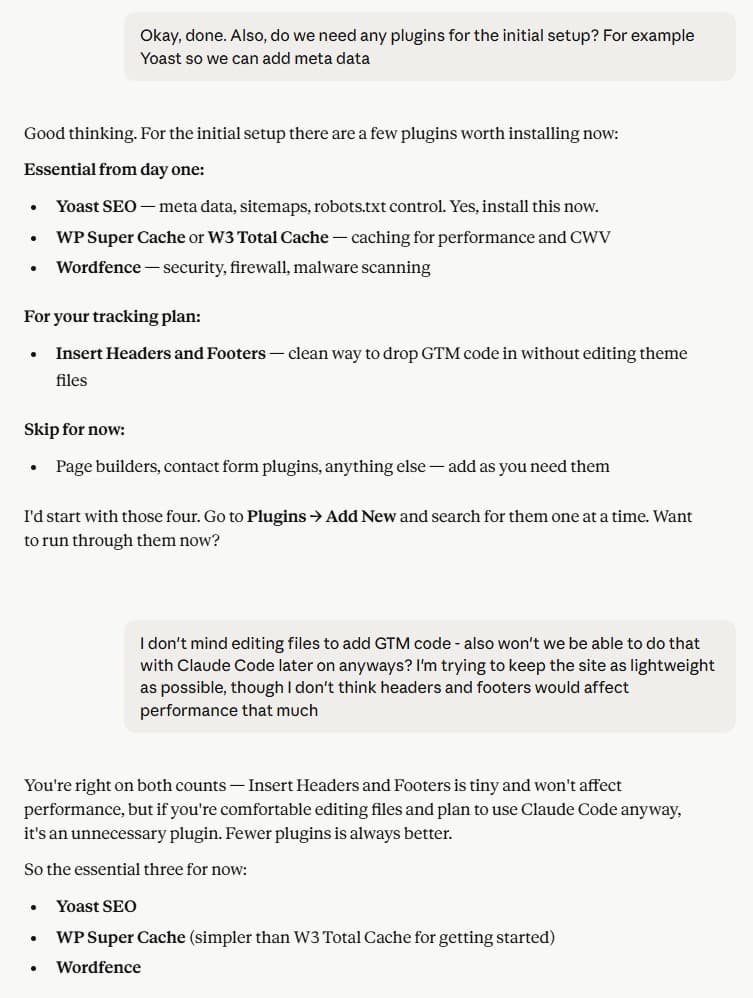
I kept the plugin list lean. Every plugin is a potential performance hit and a security surface, so I only installed what I actually needed.
- Contact Form 7 handles the contact form and the newsletter signup. Simple, reliable, and doesn’t add unnecessary overhead. The newsletter signup is handled directly by Brevo via an embedded form in the site footer and it connects straight to Brevo for list management without needing a plugin intermediary.
- WP Mail SMTP routes all outgoing WordPress email through Brevo’s SMTP. Without this, WordPress uses the server’s default mail function which can be unreliable and likely to land in spam.
- WP Super Cache handles page caching. Static HTML files served to most visitors, dynamic WordPress only loaded when it needs to be. Straightforward performance improvement.
- Yoast SEO covers the standard SEO requirements like meta titles and descriptions, schema markup, XML sitemaps, breadcrumb structure and a range of technical settings that improve how the site is read and indexed.
- WPS Hide Login changes the default WordPress login URL away from /wp-admin. Basic security measure. It’s a temporary solution which I’ll replace with a custom implementation via Claude Code at some point, but it does the job for now.
- Maintenance puts the site into maintenance mode so I can work on it without it being publicly accessible. I also had the “discourage search engines” setting ticked in WordPress while the site was in development (the low-tech option, but it works).
How did I set up tracking on de-bri.com?
The tracking deserves its own post (which I’ll add soon), but the short version is:
- Google Tag Manager as the container
- GA4 for analytics
- Google Search Console for search performance
- Microsoft Clarity for session recordings and heatmaps
The setup was more involved than it sounds, particularly getting everything firing correctly through GTM. But as I said, more on that soon.
What does it cost to run de-bri.com?
Running costs are low. Here’s the full breakdown in USD:
| Item | Provider | Cost |
|---|---|---|
| VPS (CAX11) | Hetzner | $7 / month |
| Domain | Cloudflare | $12.03 / year |
| DNS, CDN & SSL | Cloudflare | Free |
| WordPress | WordPress.org | Free |
| GeneratePress theme | GeneratePress | Free (Premium available) |
| Google Fonts | Free | |
| Brevo (email / newsletter) | Brevo | Free tier |
| GA4 / GSC / Clarity | Google / Microsoft | Free |
| Claude (AI Assistance) | Anthropic | Pro plan – $20 / month |
| Average Monthly Cost: | $28 |
The only real ongoing costs are the Hetzner server, the domain and obviously Claude. Averaged out monthly, this whole thing runs at under $28 a month. For what you get out of it (a fully custom WordPress site plus an AI programmer), that’s hard to argue with.
Before launch I ran a full technical audit using a Python script and Claude to check for any issues, with no Screaming Frog licence needed.
So, was it worth it?
Most definitely.
The site I ended up with is better than anything I’d have built on my own. More considered design, cleaner code along with a setup I actually understand because I was still part of every decision. Claude didn’t just do things for me, it explained them as we went. I asked questions, I made recommendations where needed. That’s the part that sticks.
This is a work in progress and that’s deliberate. There’s more to build, more to experiment with which then means more to write about. But the foundation is solid, and it cost less than a gym membership to put together. Also less than an Xbox Games Pass Ultimate subscription, but then again a lot of things are.